A customer has just placed an order. Before your team packs it, they may want to check the purchase details, correct an address, or ask what happens next. A clear Shopify order confirmation gives them a useful starting point.
With Dejor: AI Chatbot & WhatsApp, you can add WhatsApp order confirmations and shipping updates to your Shopify customer journey. The app also offers a shared inbox with human handoff, so your team can continue a conversation when personal help is needed. Explore Dejor on the Shopify App Store.
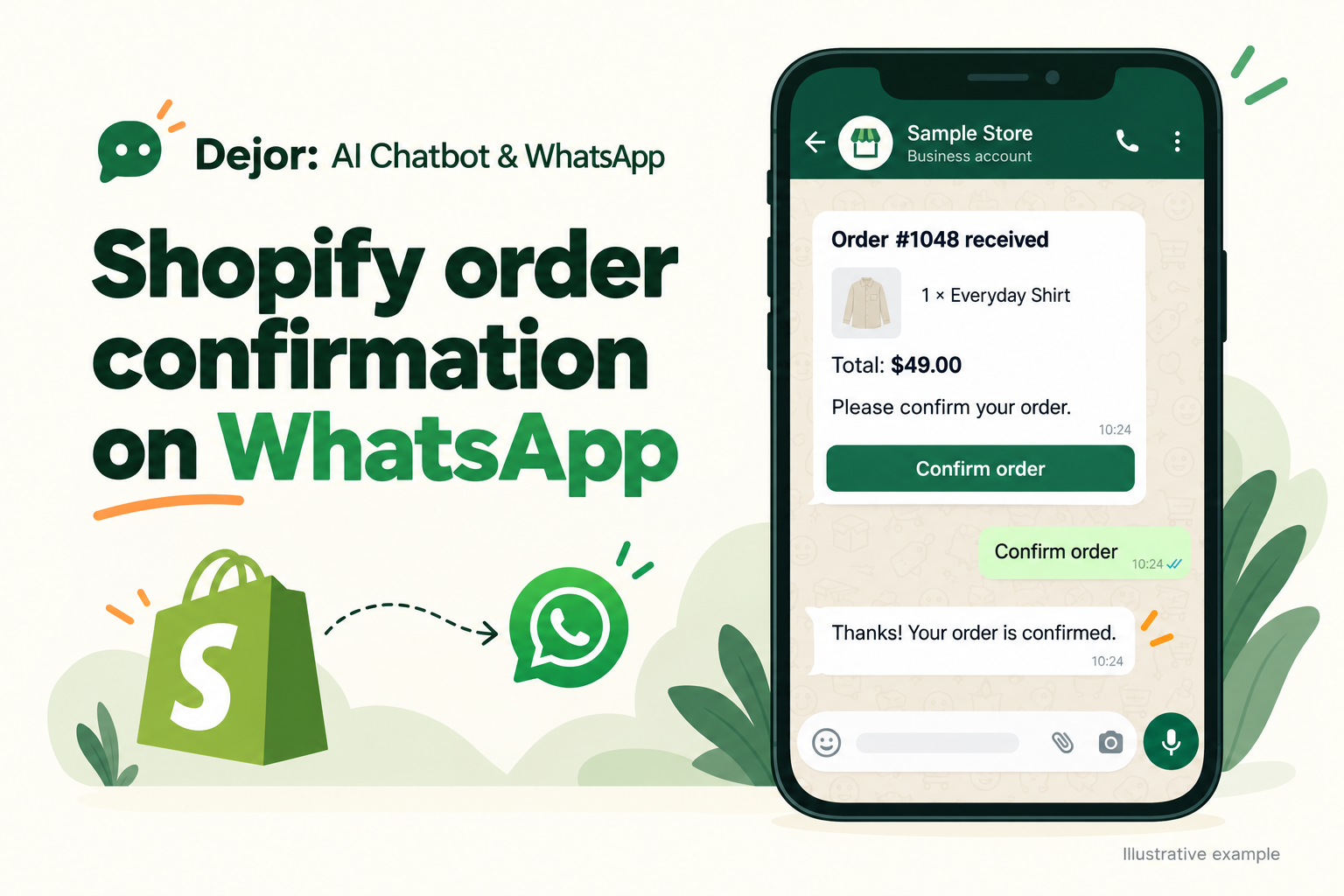
What is Shopify order confirmation on WhatsApp?
A Shopify order confirmation on WhatsApp is a message that tells a customer their purchase has been received and explains the next step. Depending on your workflow, it can also ask them to confirm that they want the order dispatched.
Those are two different events. Order received means the purchase exists in your store. Customer confirmed means the customer has responded to your confirmation request. Neither means the parcel has shipped, payment has been collected, or delivery is complete.
For prepaid orders, a straightforward acknowledgment may be enough. For cash-on-delivery orders, asking the customer to check the order and delivery details can give your team more information before dispatch.
What should your confirmation message include?
Keep the message useful and easy to scan. Include your store name, order number, purchased items, quantities, total, delivery charges where relevant, and a clear next action.
If payment is due on delivery, say so. If you include a link, use the link for that customer's order. An order-details link and a courier tracking link serve different purposes: tracking becomes useful when shipment information is available.
Avoid adding a promotion to every transactional message. The customer's immediate question is usually whether the order went through and what they need to do next.
A Shopify order confirmation template for WhatsApp
Use this example as a starting point for your own message:
Hi [customer name], we received your order [order number] at [store name].
Items: [items and quantities]
Order total: [total]
Delivery charges: [delivery charges]
Please check your order details and delivery address: [private order link].
Would you like us to proceed with this order? Confirm below, or reply if you need help.
For a cash-on-delivery order, add “Payment is due on delivery.” For an order already paid, use wording that matches its actual payment status.
Where configured in your message template, actions such as Confirm order, Cancel order, or View order details can make the next step clear. A cancellation request needs to follow your store's order-handling process; a button should not imply that a dispatched parcel can always be stopped.
This is illustrative copy, not an approved template or a variable format to paste directly into Dejor. Map the message to your available order fields and configured actions. WhatsApp requires approved templates to initiate conversations on its Business Platform. WhatsApp Business Messaging Policy.
How to set up the order confirmation workflow
1. Install Dejor and connect WhatsApp
Install Dejor: AI Chatbot & WhatsApp on your Shopify store. Follow the app's onboarding to connect your WhatsApp Business API account and business number. Review the Dejor product overview for the wider workflow.
2. Prepare the confirmation message
Choose whether the message simply acknowledges the purchase or requests a customer response. Check the order reference, totals, payment wording, and links. Review any configured button actions alongside their message text.
3. Review consent and template readiness
Obtain permission for WhatsApp messages rather than treating a checkout phone number alone as consent. Submit the template for review and check its status before enabling the workflow. Respect requests to stop messages. WhatsApp Business Messaging Policy.
4. Test before sending to customers
Place a test order using a number you control. Check the message on a phone, open the order link, and try the configured confirmation action. Verify that the response corresponds to the correct order. Test an address correction and a cancellation request separately, including how your team handles each outcome.
5. Define who handles replies
Decide who reviews unresolved questions and orders that receive no response. Do not treat silence as customer confirmation. Keep your team's dispatch decision separate from message delivery and payment status.
Continue from confirmation to delivery
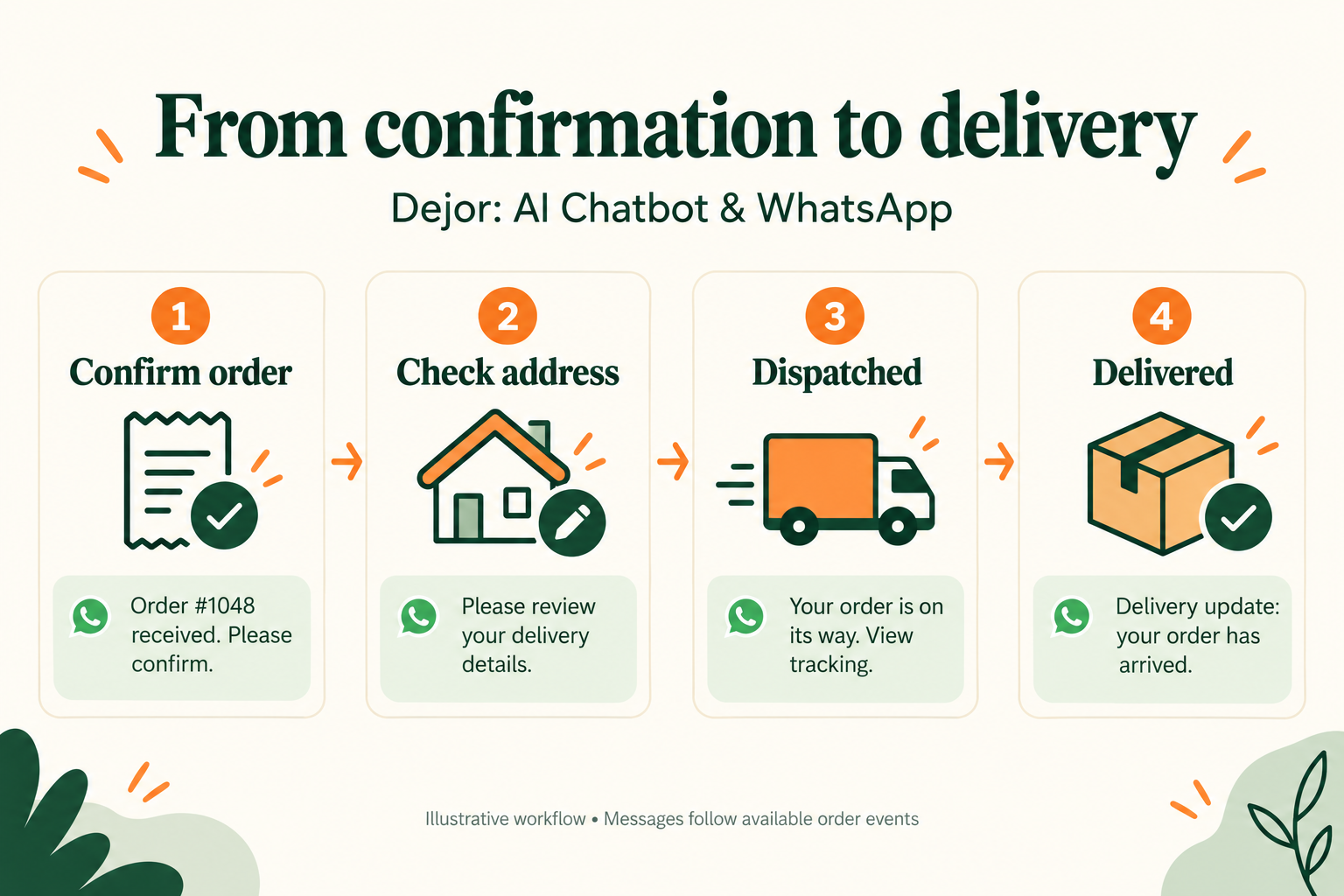
| Stage | Message purpose |
|---|---|
| Order confirmation | Acknowledge the purchase and request confirmation when needed. |
| Address review | Ask the customer to check or correct delivery details before dispatch. |
| Dispatch | Share available courier and tracking information after shipment. |
| Delivery | Send a completion update when delivery information is available to the workflow. |
Keep each message tied to what actually happened. An address correction should be reviewed before packing; creating a tracking number should not be described as successful delivery.
See Shopify WhatsApp order notifications for the feature overview, and COD order confirmation and address checks for a closer look at pre-dispatch decisions.
Does WhatsApp replace the Shopify confirmation email?
Plan WhatsApp as another communication channel in your workflow. Shopify provides customer email notifications for order and shipping events; email customization remains a separate task in Shopify's notification settings. Shopify store notifications.
Keep the order reference and status consistent across channels. Avoid sending repeated confirmation requests from several tools for the same order.
What should you measure?
Review message delivery, customer responses, address corrections, unanswered questions, and repeated order-status contacts. Compare those observations before and after launch. They will help you identify unclear wording, broken links, or gaps in reply handling without assuming every message improves conversion or prevents a failed delivery.
Start with a clear confirmation
A useful confirmation gives customers accurate purchase details and one clear next step. With the message, response handling, and later updates planned together, WhatsApp can become a practical part of your Shopify order communication.
Explore Dejor: AI Chatbot & WhatsApp and build your order confirmation workflow around the information your customers need.
Explore this workflow in Dejor.
See how shopify order confirmation on whatsapp fits into your store, including setup steps and common questions.